What information can be updated with a patron import file?
Patron imports can be used to change any field in patron records except for the Barcode field.
Patron imports can be used to change any field in patron records except for the Barcode field.
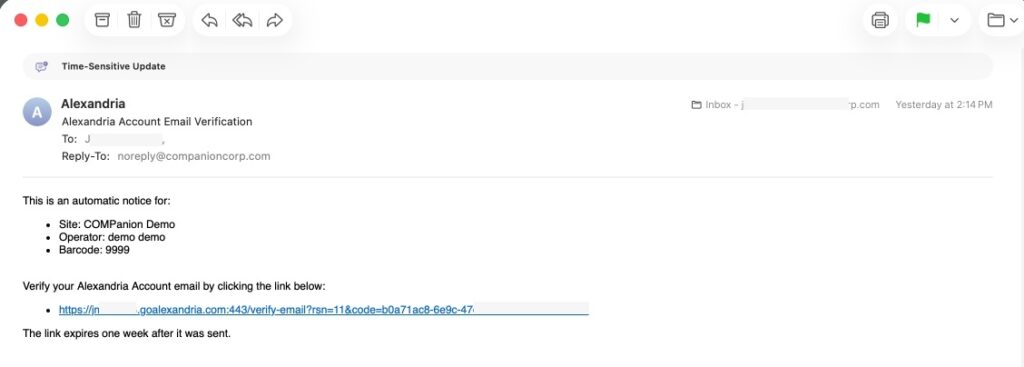
All operators with a security group of Administrator or higher will automatically receive a verification email the first time they sign in after this update. Verify your email to stop receiving this notification.
Start by exporting the necessary data from your student information system (SIS) in a tab-delimited text format. This file can be imported into Alexandria Librarian to add new patron records and update any existing patron records simultaneously.
You can do this in Authority Control, which is the part of the program that helps a user manage terms and edit, modify, or even remove them when no longer in use. To access Authority Control go to Tools and select Authority Control. You will find terms listed under both patron and item field headings.
By using the gear at the top you can select “Remove unused terms” to clean up some of these fields. This will only remove a term if none are entered into an item or patron record under the corresponding field. If you have any questions about best practices for managing Authority Control terms we recommend you call Customer Support for guidance and advice.
Everyone updates their patron records differently. Advancing patron grades may already be taken care of if you use patron imports or a SIS integration.
If not, go to your Grade Table Preferences and click Advance All Grades once. Check a patron record to make sure it worked properly.
For further help, please visit Patrons Preferences.
 | Advancing grades does not also change policies. If your patron policies match grade levels, see our Patron Imports Best Practices for instructions on updating those. |
You can do this in Authority Control, which is the part of the program that helps a user manage terms and edit, modify, or even remove them when no longer in use. To access Authority Control go to Tools and select Authority Control. You will find terms listed under both patron and item field headings.
By using the gear at the top you can select “Remove unused terms” to clean up some of these fields. This will only remove a term if none are entered into an item or patron record under the corresponding field. If you have any questions about best practices for managing Authority Control terms we recommend you call Customer Support for guidance and advice.
The beginning of the school year can be stressful. Please visit our free online Support Center for all our Beginning-of-Year Procedures. Following our recommendations will ensure you are ready to start at the beginning of the year.
No, the Advance Patron Grade utility will only update the Grade (Level) field. All other information, including homerooms, will need to be updated manually, with a utility, or with an import file.
Ensure that your import file has the correct site code for each copy. If a copy’s status unexpectedly changes to In Transit when bookdropped (checked in) instead of Available, it may be assigned to the wrong site.
While importing items, look at the Barcode Handling section on the Settings tab. Add a Starting Item Barcode and select Always Assign New Barcodes.