
See our Alignment Troubleshooting tips. Specifically, make sure your scaling is set to 100% or Actual Size in your PDF reader. Also, you’ll want to make sure you’re using the correct type of labels for the barcode report you’re using.
FAQs
The main FAQ page is: https://support.goalexandria.com/faq/
Latest FAQ
What information can be updated with a patron import file?
Patron imports can be used to change any field in patron records except for the Barcode field.
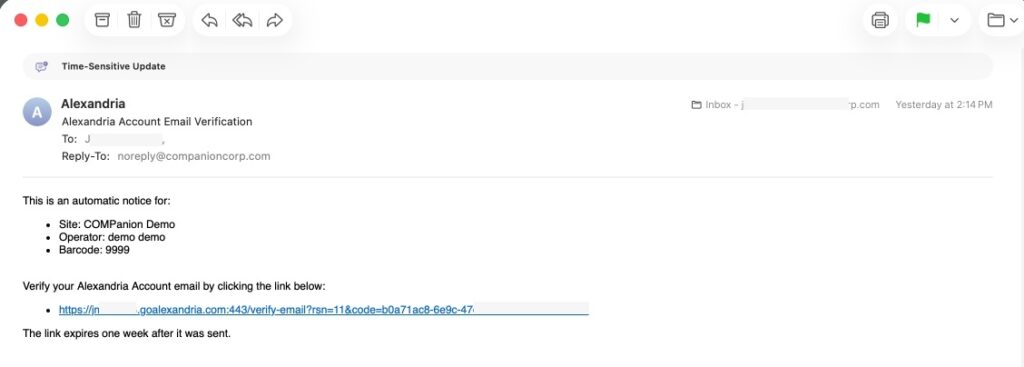
Why am I getting a verification email from Alexandria?
All operators with a security group of Administrator or higher will automatically receive a verification email the first time they sign in after this update. Verify your email to stop receiving this notification.
Where can I find counts and how many Patrons/Items am I licensed for?
To find your license and system information, go to the help menu in the topnav and click About Alexandria. This will show you your patron/item count and how many you have left in your license.
Note that system patrons count towards license totals.
I noticed that I have ten extra patrons that I was not aware of. Who are these additional patrons?
The ten additional patrons you see are default System Patrons in Alexandria. These specific patrons cannot be removed, but they can be very helpful to you and your library. To learn more about System Patrons, please visit our System Patrons support center page.
How do I update Patron records with a file on my computer?
- First, make sure the file is tab-delimited (not a csv file).
- Make sure you have a way to match the patron information with the info in the file, such as barcode, RSN (Record Sequence Number), GUID (Gobally Unique Identifier), Government ID (SSN), Community ID (Student #), or Primary Email, First Name, and Last Name (all 3).
- See Patron Imports Best Practices for more information.