25.7 Release Notes
 | The issue with Clever imports introduced in this release has been fixed. |
Highlights
Policies & Subscriptions Makeover
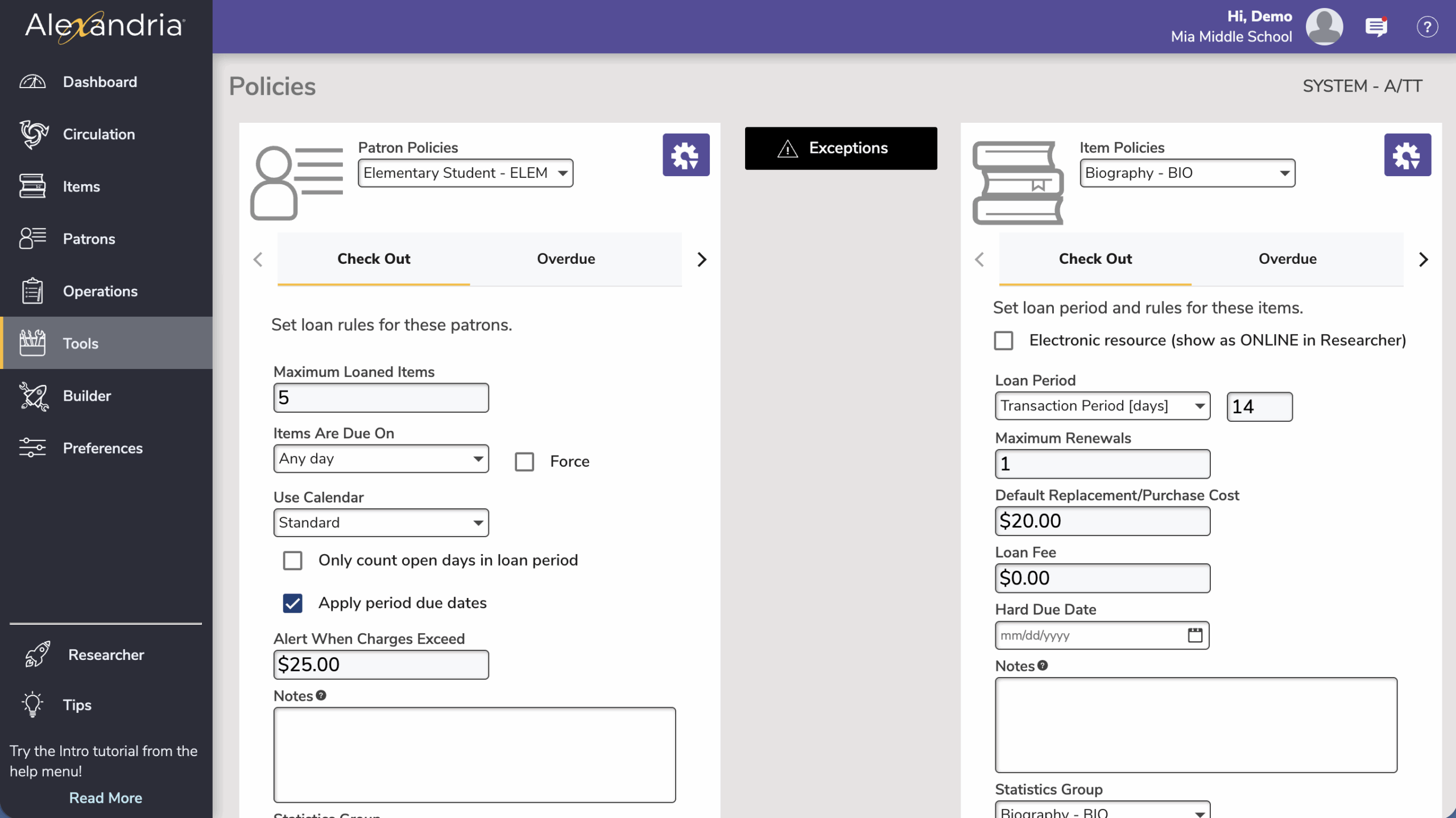
Policies joins the Makeover family! Access Policies from Tools and it will open in the same tab. Be aware that some options have been rearranged and renamed (such as the checkbox for electronic resources) but nothing has been removed, and no functionality has changed.
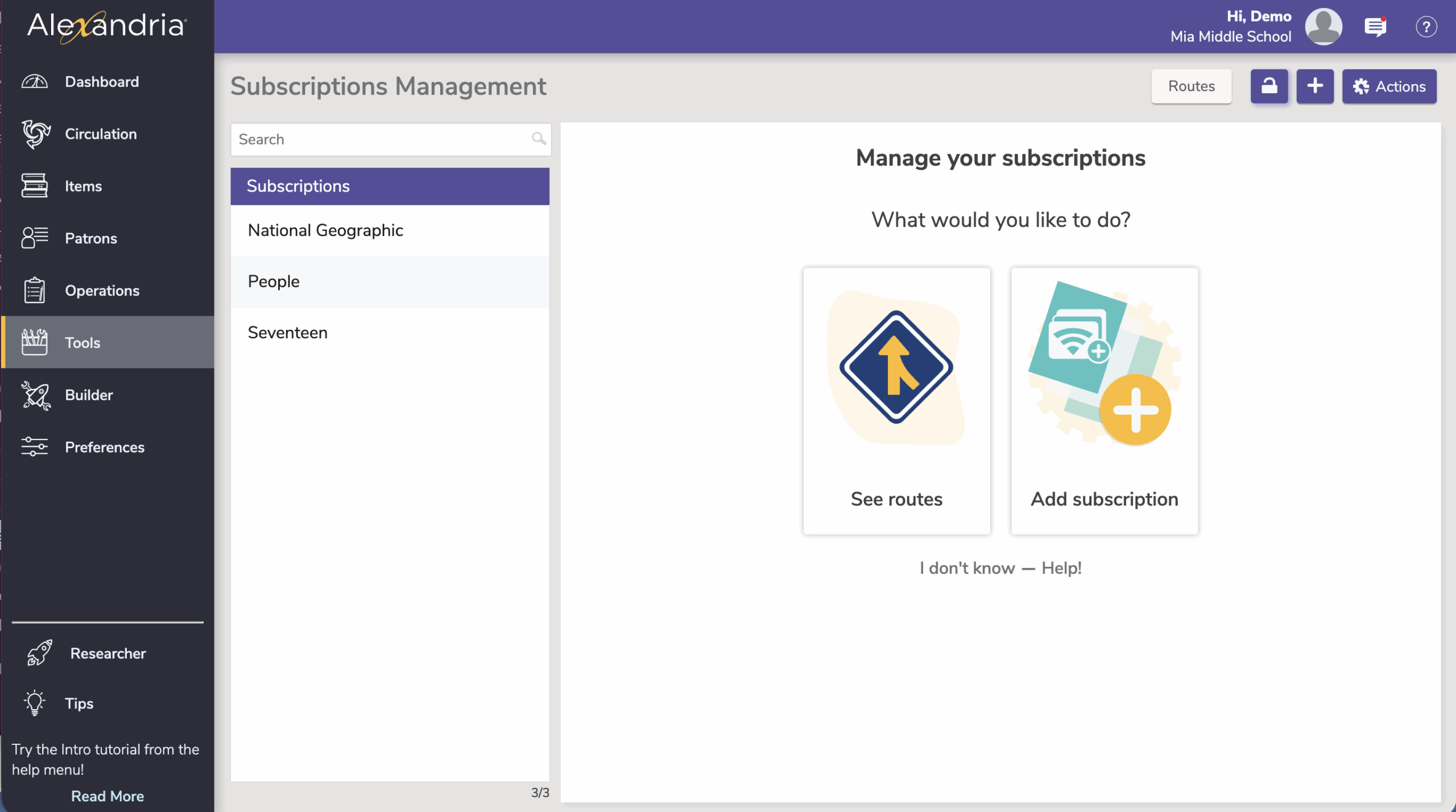
But that’s not all—Subscriptions also joins the Makeover! Routes comes in the same module, so you can continue setting up routes for distribution. The new Subscriptions module has a toggle to mark subscriptions as digital or non-digital—use the description/notes field to keep track of any other details for what this subscription is tracking. (This was a suggestion from one of our wonderful users!)
Monarch Integration
If you have a Monarch license, you can activate it in Alexandria so your students can get to Monarch results right from the Researcher Search interface. Not sure what Monarch is? Learn more about how Monarch works with Alexandria.
Contact our Sales team at 1.800.347.6439 or sales@goalexandria.com to add Monarch to your license.

Brief Details Format
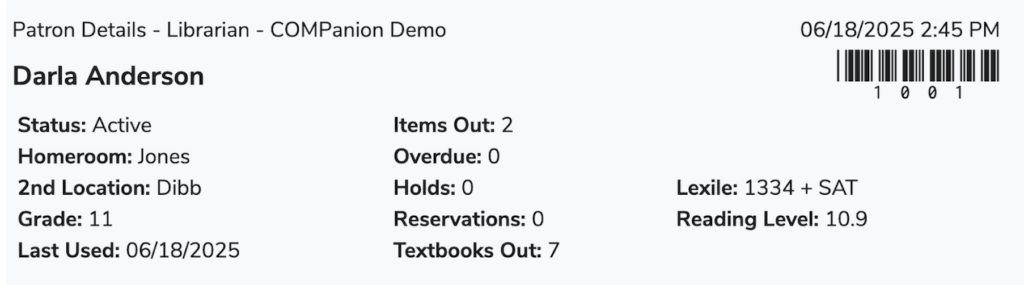
We’ve added a new Brief format for the Send Patron Details Email notice! This will send all those helpful numbers you see at the top of Patron Details, like overdue items and holds, without including all the title particulars. You can set this up just like any other email notice to send to patrons and parents!
Alexandria & Textbook Tracker
New and Improved
- Legacy reports have been removed. All newer reports accomplish the same things but better!
- We’ve continued to make accessibility improvements to Patron Status and Librarian.
Patrons
- Do your Alexandria operators have valid emails? Are they receiving notifications and—most importantly—can they reset their passwords? Now you can send a verification email for any patron in Alexandria!
- For those of you syncing patrons with Clever or Schoolday, you’ll get Parent/Guardian names and emails imported into Alexandria.
Builder
- Do you set up different slideshows depending on the time of year, the holiday, the books of the month, and more? You can configure different slideshows and copy the URL, but Alexandria didn’t have any way for you to save and keep track of multiple slideshows. Now we do!
- Minor fixes to the new Explore Builder interface.
Tools
- Authority Control now shows Location terms only for the site you are signed in to, rather than all sites. To see all terms, sign in to your union site.
Security
- Searching for patrons in Patrons Management and Circulation (lookup) is now restricted by the sites you (as an operator) have access to.
Operations
- Everyone has different call numbers. Ce la vie. The Super Summary by Call Number report now does NOT ‘Group other prefixes’ by default, so you can see more details.
- Average Publication Year” (used in Super Summary, Brief Analysis, Publication Date Summary) now calculates based on title data, not number of copies. This will show you the age of your collection based on titles, and will include even titles without copies (i.e. electronic resources).
- Item imports now default to MARC or MicroLIF format for files, and you can upload either of those file types so you don’t have to know which is which.
- We’ve added a Relative Date selection (option) to the Top Borrowing Patrons report! Now you can set the report up to run every month and you don’t have to change the date! Thanks to our friends at Alpine school district for this suggestion.
Inventory
- When declaring items lost in the new Inventory module, you now have the option to forgive all associated overdue fines for those lost items.
Activity
- Activity shows the patron’s status so they can be alerted of any problems with their account (e.g. if they are expired or suspended).
Search
- We’ve made Search smarter! Now exact title matches show up faster for Smart Search and Title searches. Bonus: title lookup in Circulation gets the same upgrade!
Textbook Tracker
- Textbook Tracker now has a Usage by Period report that can show you usage over the months for a selected date range.
Fixed
- This release includes changes to SchoolDay for SSO.
Circulation
- Temporary items weren’t working well with longer barcodes. We’ve helped them grow, so now you won’t need to worry about temporary item barcodes being converted to negative numbers!
- Sometimes commands aren’t happy when you don’t have spaces and can get confused, especially if you have barcodes starting with letters. We’ve improved this behavior.
- We’ve made improvements to the statistics on Dashboard (especially ‘copies out’).
- The barcode image from Patron Status went missing. We found it and put it back.
- When using HC to place holds on specific copies, then removing those holds, the next hold assigned wasn’t respecting the copy barcode. We’ve fixed this.
Builder
- Bulletins use their assigned Order to sort; if the ordering isn’t set (or is the same number), bulletins sort alphabetically.
- If you’ve been seeing ‘Error Saving Record’ when going to Builder, you’ll see it no more!
- Map dialogs throughout Alexandria now show Copy Location (when applicable).
Localization
- We’ve updated Spanish terms for Estado vs Estado dirección for your exports, so you can tell which is which!
- Spanish term in MARC view has been corrected from the Portuguese term.
- We’ve updated some of our translations, especially for Inventory and Builder.
Operations
- Clever and SchoolDay imports are now split up per site and use patron site preferences such as Next Barcode.
Search
- Medium aliases (e.g. ‘book’) are now showing for Search filters, so kids don’t have to figure out what ‘text-unmediated-volume’ means.
- Medium icons showing in Search have been updated to show more kinds of mediums!
- Shelf view in Search was automatically sorting by Call Number…no matter what sort you set…so that wasn’t very helpful, was it. We’ve fixed the sorting.
- Search full details wasn’t showing full publisher information. Now it will show the place and more!
Textbook Tracker
- Items lost in Textbook Tracker now transition to System Patron 1 when the original patron is removed. So if you find those lost items, it’s easier to bookdrop them now!