Hold vs. Hold Copy & tasks tab
February 2, 2026
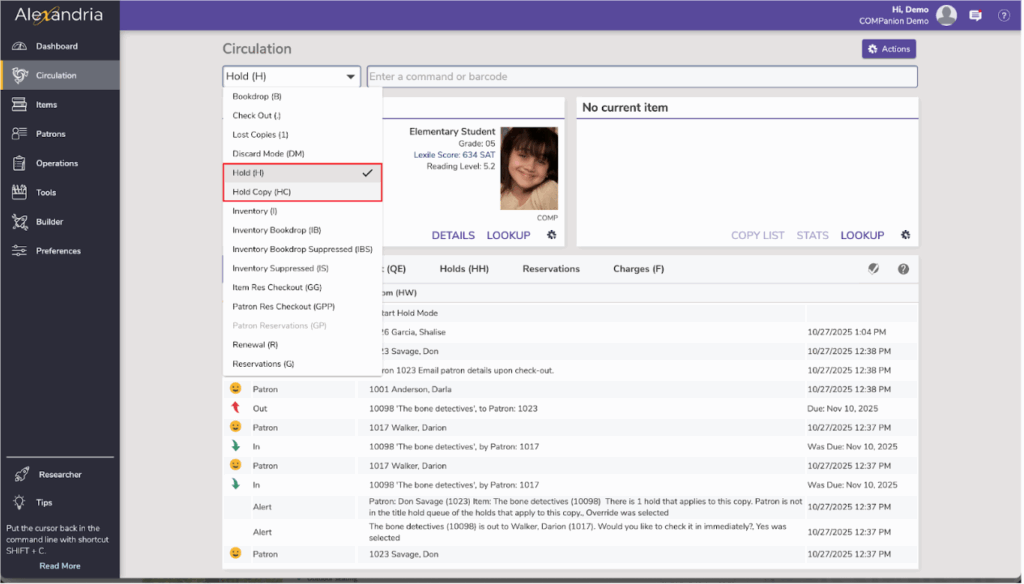
Miss Honey is using the tasks tab to view requested holds and get them pulled for the holds shelf. She is about to put a book on hold for a student, when she notices the Hold (H) option and the Hold Copy (H) option, and she can’t remember the difference between the two.
Hold vs. Hold Copy
- A Hold or the H command assigns the first available copy of a requested item in the hold queue to the Current Patron.
- Hold Copy or the HC command places a hold on a specific barcode of a copy for the Current Patron, such as a teacher’s edition of a title.
Tips for using the Tasks tab:
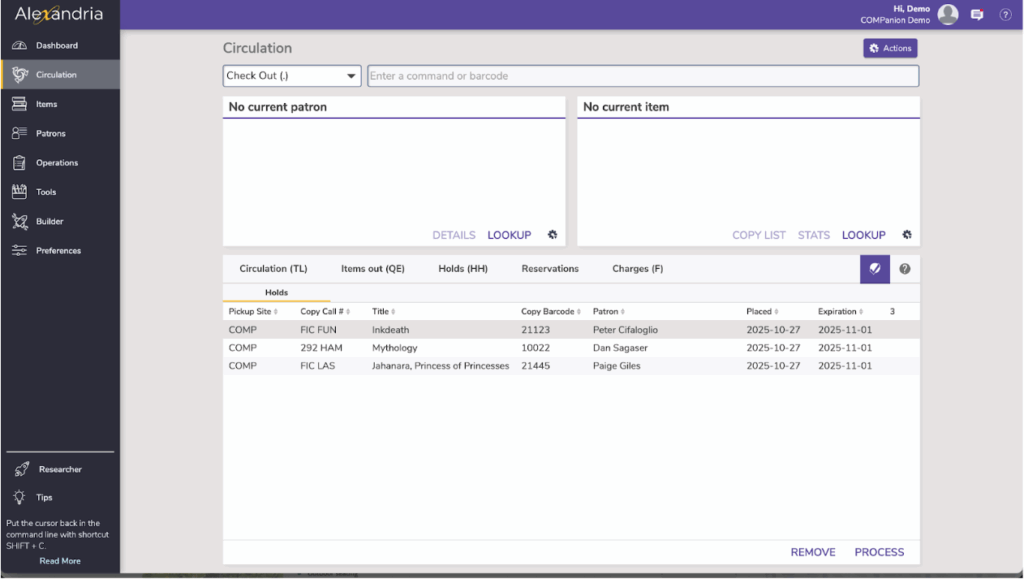
- The Tasks tab is for holds needing to be pulled at your site. In other words, on-shelf holds (holds that were “Available” when the hold was placed) that are for patrons at your site.
- If there are new tasks for you to pull, the icon will turn into a red exclamation point icon.
- Once you have pulled the holds from your shelves, you can bookdrop and print the hold receipt and put it on your hold shelf. You can also accomplish this by pressing Process at the bottom right of the tasks tab.
- If you are in a Centralized Catalog, you will also see an ILL Holds subtab that is for holds needing to be pulled, which are going to be sent to a different site.
 | Have questions? Reach out to our stellar support team at (800) 347-4942 · support@companioncorp.com for help! |
0 Comments