
Single label printing – QB command
November 16, 2026
Have you ever had one new patron, or a single damaged item, and you just want to print one quick label? Now you can print one label at a time using the QB command in Circulation—all you need is a small thermal printer.
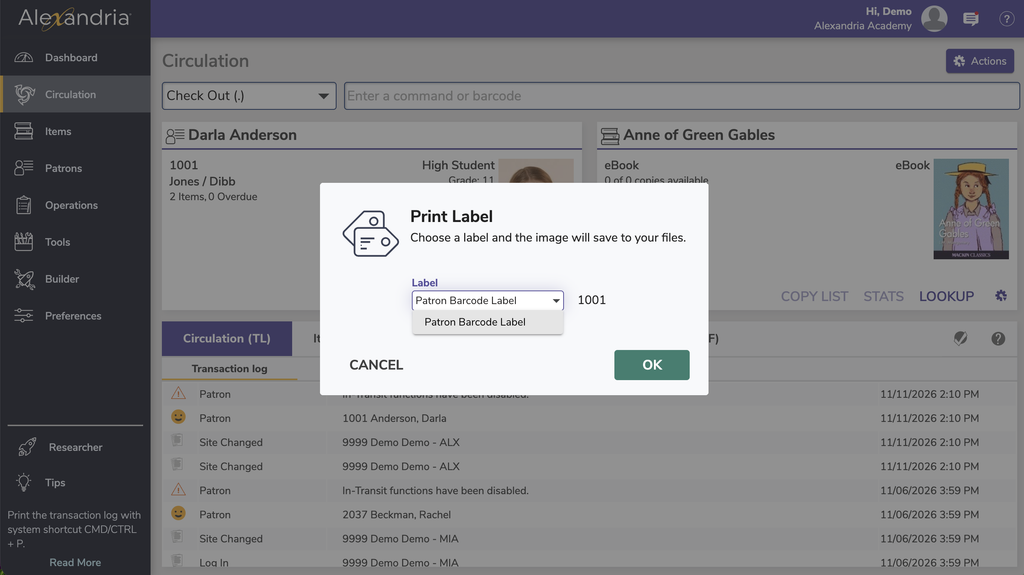
There are three basic variations: Item, Textbook (for Textbook Tracker), and Patron barcodes. You will need to configure your printer to correctly print these labels. While Alexandria doesn’t support every printer, many printers can be successfully configured to print single labels in Circulation, so if you’ve already got a thermal printer it’s worth trying it out!
How To Print
- With the Patron and/or Item current in the Circulation window, use the QB command
- Verify if you are printing a patron or item label
- Click OK
- Open the downloaded file and print your label (make sure to select the correct printer!)
We’ve got a lot of other handy circulation commands that can simplify your work. Download the cheat sheet to keep at your desk!

Get refreshed…
Feeling lost, trying to learn the ropes, or helping train a new librarian in Alexandria? Check out our Alexandria Refresher, for an overview of all the basics.
0 Comments