
Making multiple slideshows
January 19, 2026
Miss Honey wants to make a slideshow highlighting books about Martin Luther King Jr. and other civil rights leaders, but she wants to keep the current slideshow saved as well. Luckily, she (and you) can make as many slideshows as you want, and keep track of them easily in Builder.

To create a slideshow:
- Go to Builder > Slideshow
- Give your Slideshow a name. The name will show within your slideshow list in builder and on the top of the slideshow.
- Under the source, choose what items are displayed in Slideshow.
- Select your preferred Layout, Speed, and Transition.
- You can preview the slideshow by clicking View.
- Click Save.
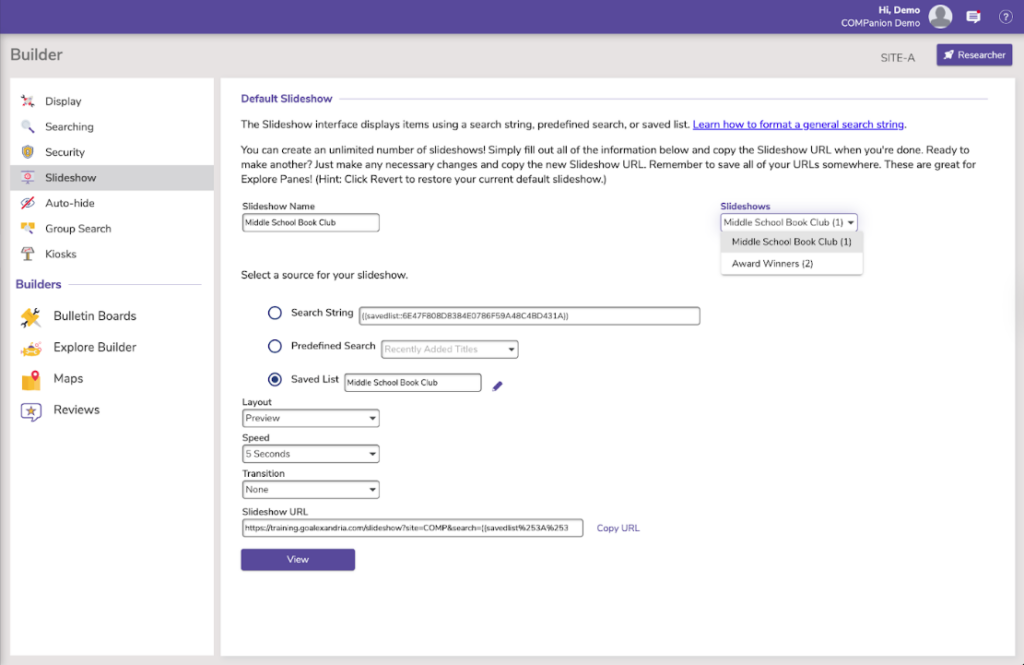
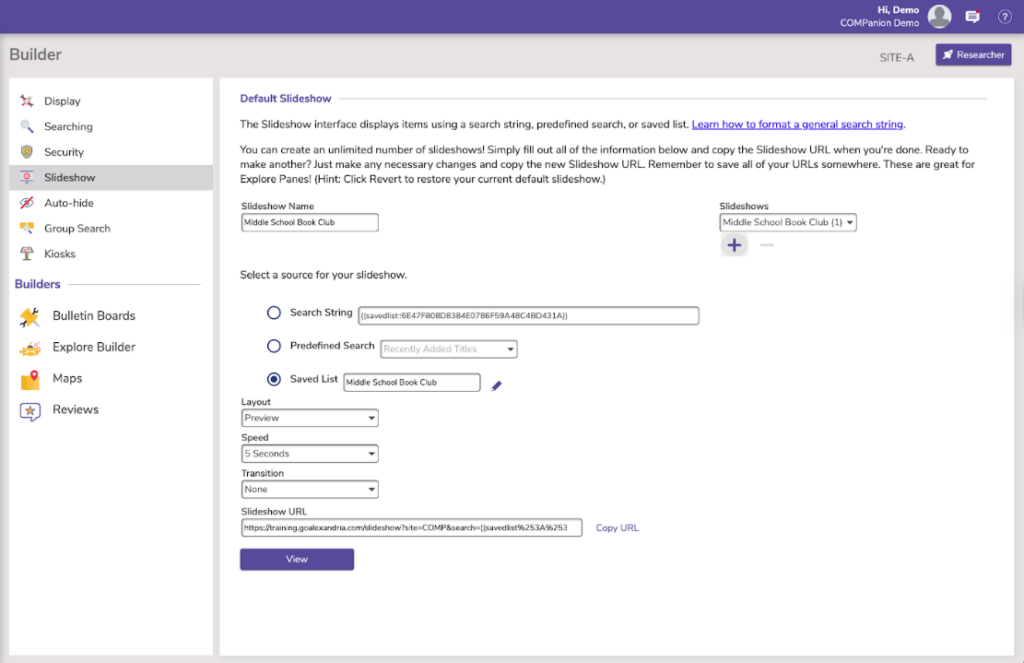
To create multiple slideshows, use the plus sign(+) under Slideshows. Then, follow the steps above to customize your new slideshow! Keep in mind that while you can only have one Slideshow active from the primary /slideshow location, you can always show additional Slideshows by creating Explore buttons that link to a Slideshow URL.
 | Learn more ways to increase patron engagement by meeting with our Virtual Librarian to enhance your skills, knowledge, and abilities in Alexandria. |
0 Comments