26.2 Release Notes
Highlights
Self Service
- Going to /selfservice now lets you set up your kiosk, choosing to limit the kiosk to check in only, check out only (or renew), or allow all actions (check in and out and renew).
- When something goes wrong, patrons now get more information about what happened. Maybe there’s a hold on the book and you need to set it aside. We hope these new alerts in Self-Service will help your patrons understand the problem.
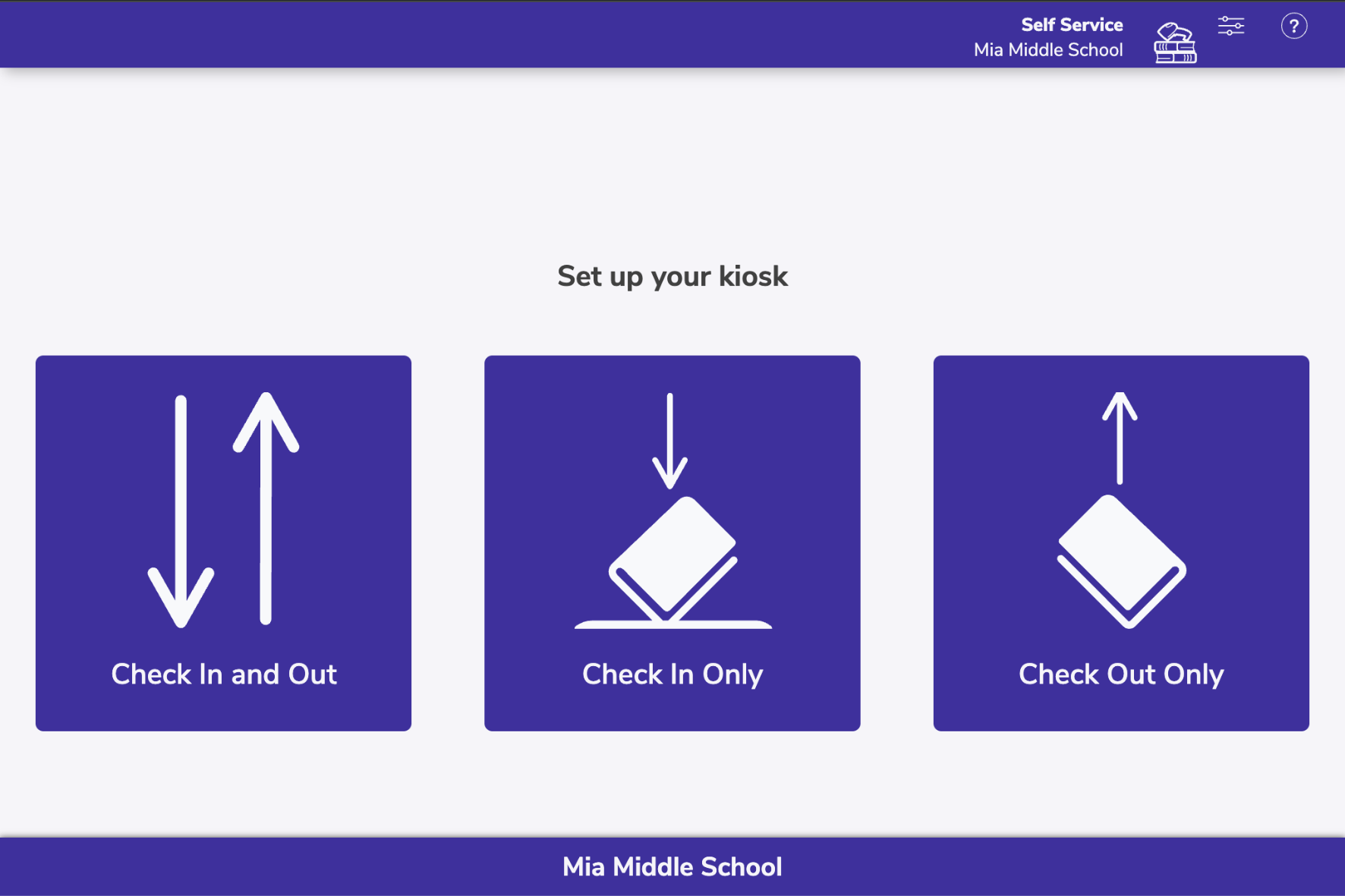
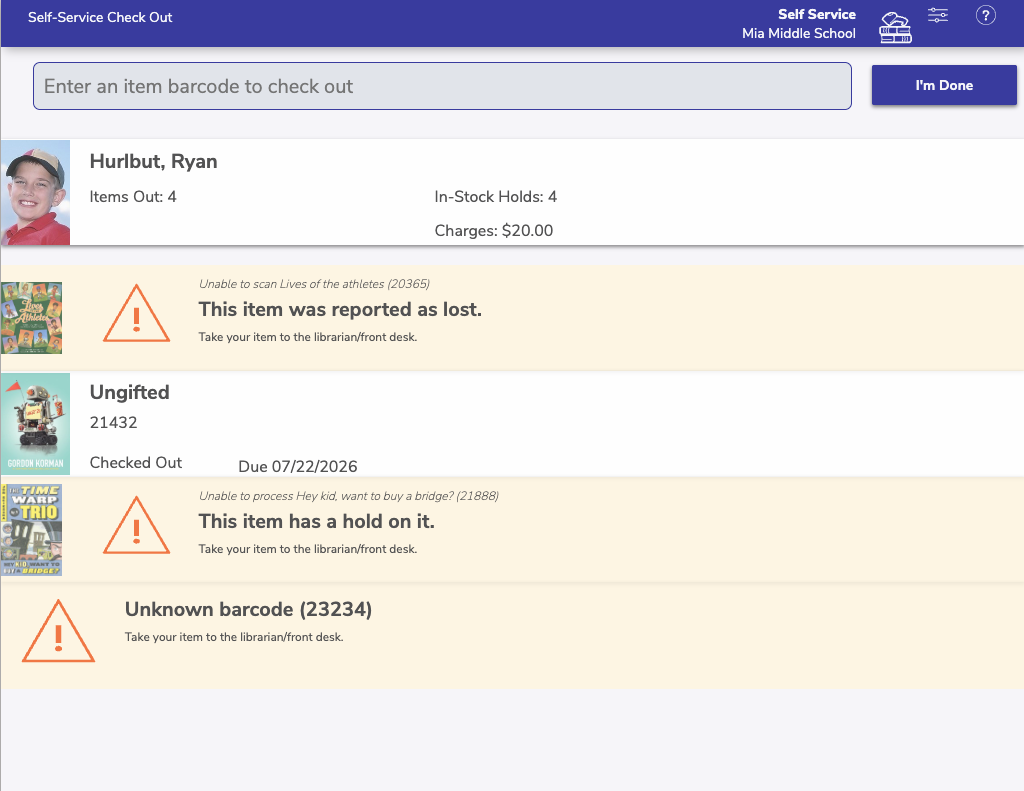
Thank you to Alpine School District, and to all of our users who have participated in the research group for Self-Service! (We’re not done yet…)

Clever
- Do you use Clever SIS with Alexandria? Turn on SSO and your patrons can sign in not only through Alexandria login screens, but also through the Clever portal.
- SIS syncing with Clever now gets patron Homeroom! To use this, you must be sharing Section > Subject > Homeroom/Advisory with the Alexandria app in Clever
New and Improved
Circulation
- Item lookup now restricts access to items at other sites when In-Transit features are disabled; otherwise, it lets you look up items at other sites.
- Reserves (not reservations) are rarely used and as such we have removed them from the Circulation actions menus. You can still access the reserves dialogs by clicking the number of active reserves on the current item/patron panes. You can still place reserves normally using the J command. Learn more about reserves.
Search
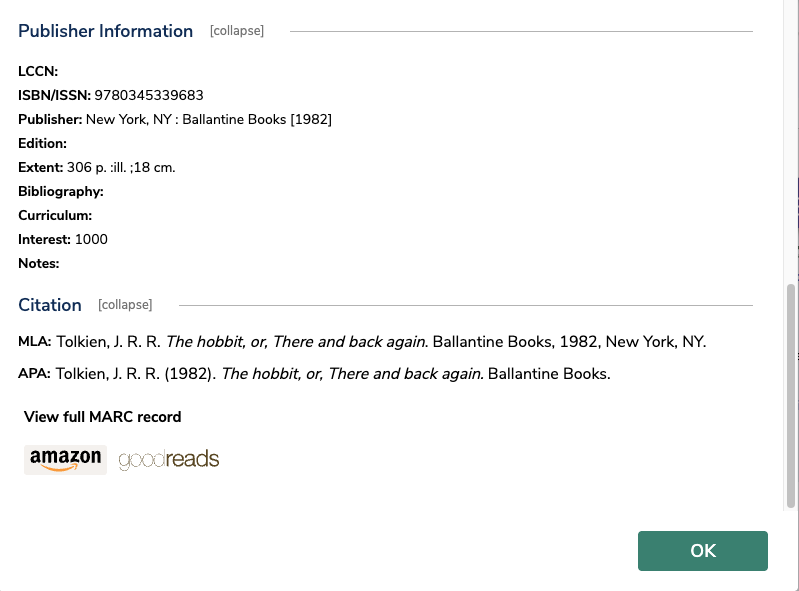
- Full Details in Search and Scout now show citation in both MLA and APA formats.
Preferences
- We’ve updated our default z39.50 servers to remove OhioLink and add a new server (Prospector). This only affects new customers; to update your own z39.50 servers and sets (which are what your SmartMARC Title Assistant pulls from when adding new items), see our page on z39.50 preferences.
Reports
- The Copy Notes report now shows the full note instead of a single line.
Security
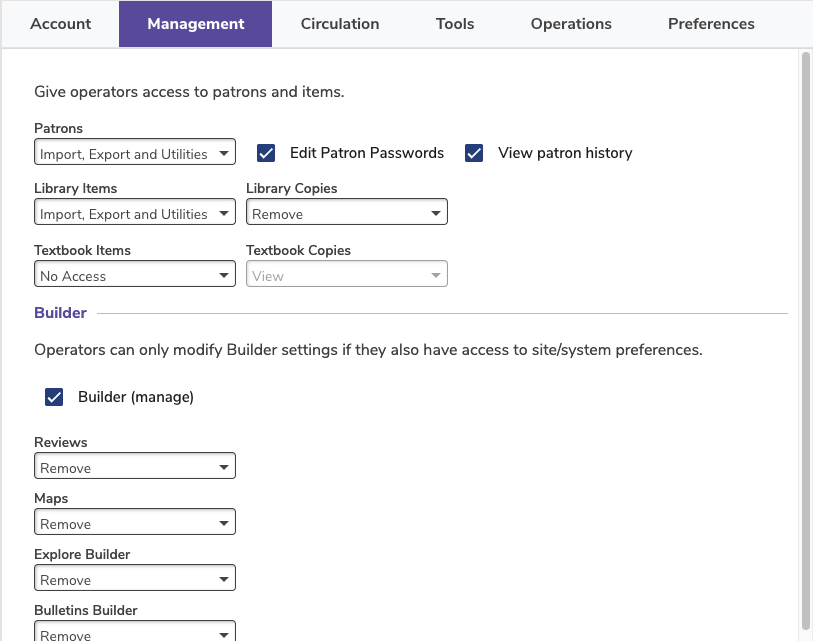
- Sometimes only certain people should have access to patron history. A new security setting (Security > Management > View patron history) lets you restrict access for groups of operators.
Fixed
Textbook Tracker
- Textbook Tracker was ignoring Other Emails when trying to email Circulation Patron Details. Now it works!
Reports
- Usage by Period reports were not showing renewals made in Circulation with the R command. This has been fixed.
Builder
- We had some icon colors go haywire when we cleaned up Styles (to allow custom colors). Most of these have been fixed; we are aware there are a few more that got away and we’ll fix them in an upcoming release. Although these icons are the wrong color, they are all still functional.
Search
- Sometimes sharing a saved list wasn’t giving the proper search string, which meant if you used that in Explore, it wouldn’t work. We’ve fixed that.
- Search was only checking the Policy of the first copy record of a title to determine if holds can be placed. But sometimes policies differ. So now Search will check for other copies before allowing or declining a hold.