Link directly to bulletin boards
October 13, 2026
Miss Honey wants to spread the word about the new library book club. She made a bulletin board, but how can she get more students and teachers to see it? With a link!
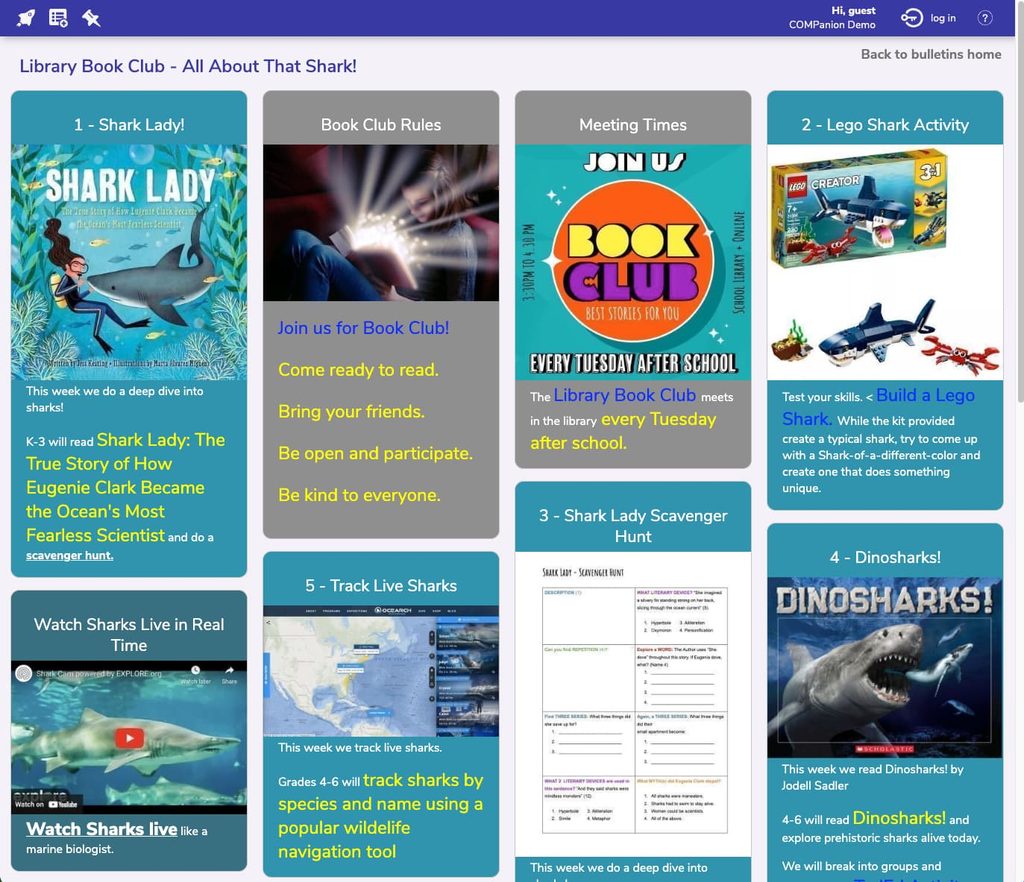
You can link directly to your bulletin board by adding /bulletins to the end of your Alexandria URL. It’s that easy! /bulletins will link to your main bulletins page, but you can even link to specific bulletin boards by adding the full bulletins link.
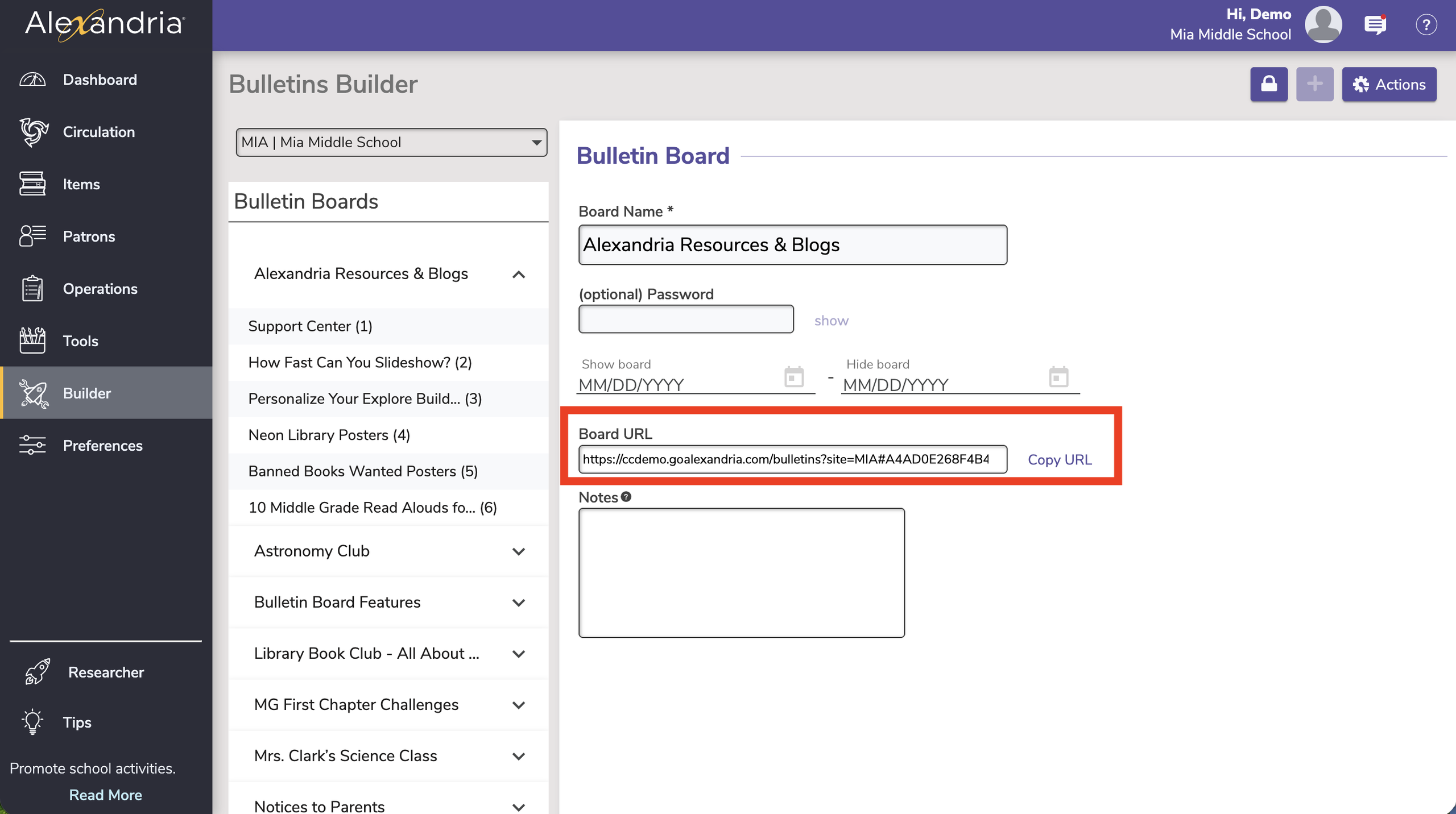
For example, https://demo.goalexandria.com/bulletins links to the main bulletin board landing page, and https://demo.goalexandria.com/bulletins#CB2B84BE68154B49BE56FFE052DF80E5 links to the bulletin board about the library book club. (You can find and copy your bulletin board URL by going to Builder > Bulletins Builder > then click the specific board you want to link.)
Take a look at our bulletin board features, and check out Virtual Librarian for more ways to boost engagement and learn even more about bulletins.
Have you read our blog? We’ve got lots of great posts about bulletins, and other Alexandria features.
 | Take our new Tip of the Week survey We want to hear your opinion! Please follow the link below to take our survey. Take our survey. |
0 Comments